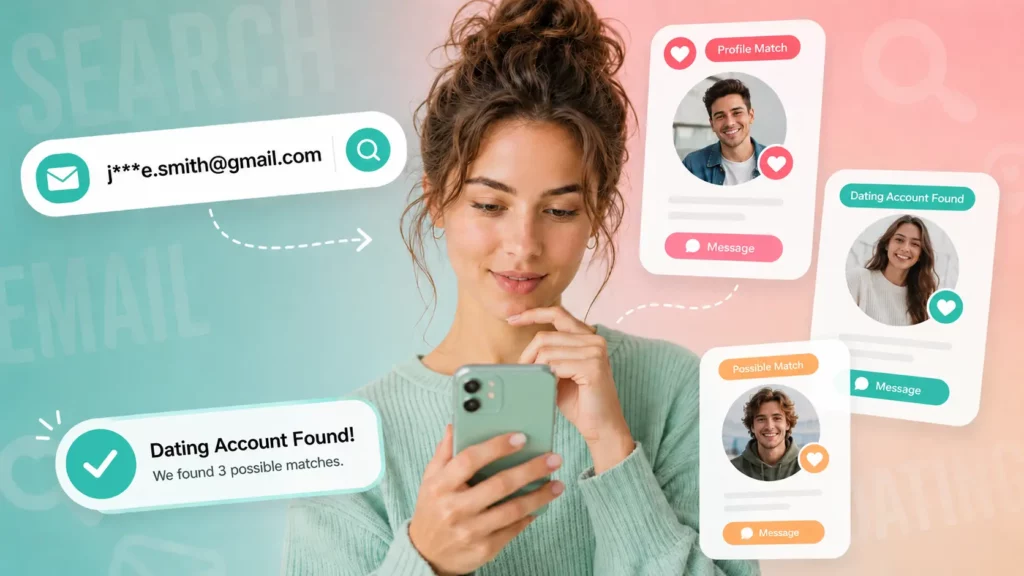
The most reliable way to check if someone is on dating apps is a reverse phone or email lookup that scans public records and online sources for linked dating profiles, social media accounts, and identity records in one search. Enter the person’s phone number or email into a tool like Searqle, and the report comes back within minutes, showing any connected accounts across platforms rather than requiring you to check each dating app one by one.
No dating app offers a public directory or a search bar for finding specific members. Every working method runs outside the apps themselves, using contact information or images the person shared elsewhere. This guide covers each method, which apps each one applies to, and what you can realistically expect to find.
Why You Cannot Search Dating Apps Directly
Tinder, Bumble, Hinge, OkCupid, and every major dating platform deliberately hide their member databases from outside searches. Their terms of service prohibit third-party access to member directories, and none of them provide an API for looking up whether a specific person has an account.
Inside the apps, you can only see profiles that the app’s algorithm surfaces based on your location, age range, and preferences. There is no name-based or phone-based search inside any of these platforms. Tinder’s own help documentation explicitly states this.
The result is that checking whether someone is on a dating app means working from the outside in: starting with contact information or a photo, then tracing it through public data to surface any connected profiles. The method that covers the most ground in the least time is a reverse lookup that checks multiple sources simultaneously.
Method 1: Reverse Phone or Email Lookup (Covers All Apps at Once)
A reverse lookup is the only method that checks across all dating apps and social platforms simultaneously rather than one at a time. Most dating profiles are registered with a real phone number or email address, and those credentials often connect to other accounts the person created using the same contact details.
Manually checking that connection app by app takes hours and still misses platforms you did not think to include. Searqle solves that problem directly: enter a phone number or email address, and the platform scans public and online sources for every linked account, social profile, and identity record attached to that contact. The report returns a full picture — name, associated profiles, address history, and digital footprint — without requiring you to know which specific apps to check.
This is the strongest starting point because a phone number or email address is specific enough to filter out false matches, and persistent enough that even old or infrequently used accounts remain connected to it.
What the Report Can Return
| Data Type | Examples |
| Identity records | Full name, age, known aliases, profile photos |
| Dating and social profiles | Linked accounts across platforms, public online presence |
| Contact details | Additional phone numbers, associated email addresses |
| Location history | Current and previous addresses, city and state records |
| Data breach signals | Accounts exposed in past security breaches, service registrations |
Coverage depends on how widely the person has used that phone number or email online. A number reused across multiple accounts returns more than one used only for a single private profile.
How to Run the Search on Searqle
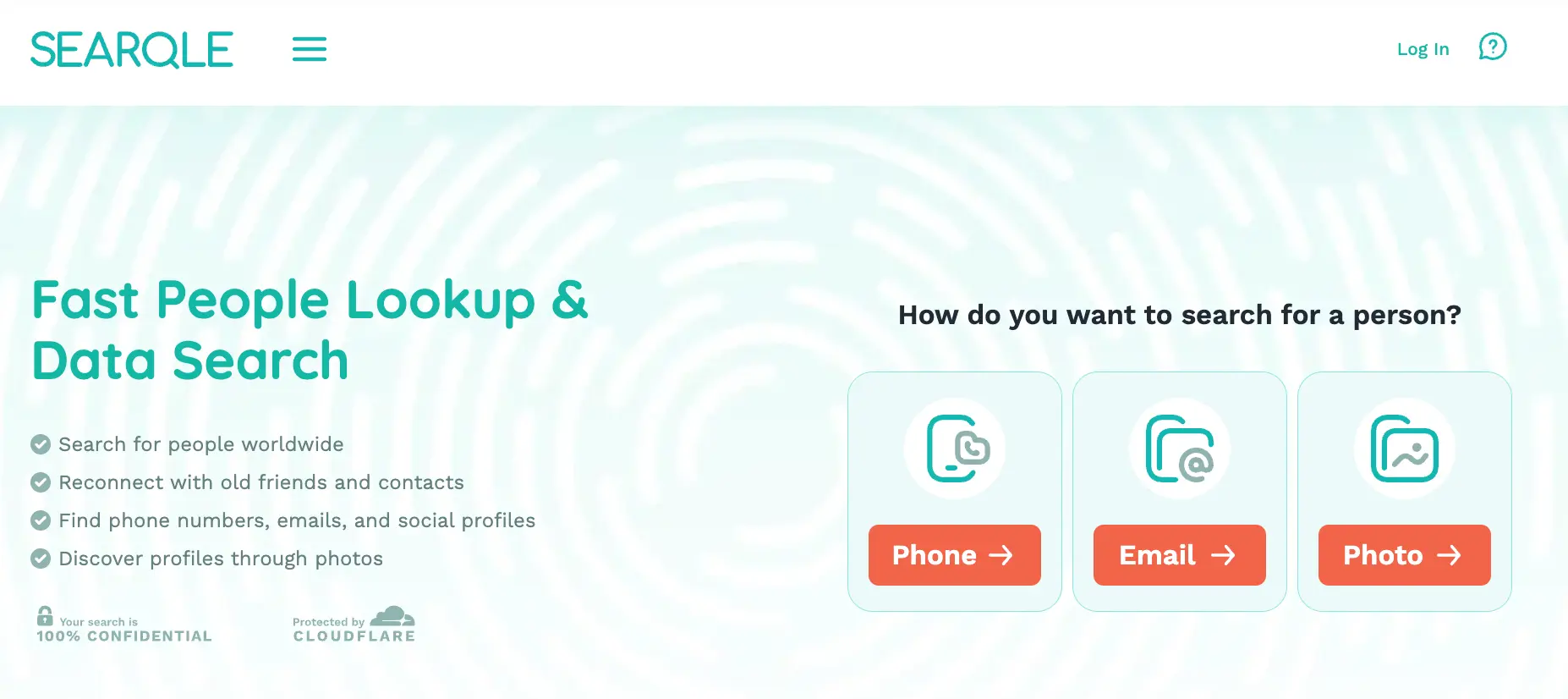
The full search takes under five minutes. Here is the flow from start to report using Searqle:
- Open Searqle and select the search type: phone number, email address, or photo.
- Enter the contact detail you have — the number they call from, the email in a shared account, or a photo from their social media.
- Start the search and let the platform scan public records and online sources.
- Review the report for linked dating profiles, social accounts, name records, and any signals that contact information has been used elsewhere online.
The mechanism: Searqle compares your input against publicly indexed records and account signals, consolidates any matches, and returns them as a single readable report. You are not checking Tinder, then Bumble, then Hinge, then OkCupid in sequence — one search covers the connected digital footprint of the contact information you entered.
App-by-App: What Works for Each Platform
While a reverse lookup covers all platforms at once, here is what to know about each major app individually, including which specific methods have the best chance of returning results.
Tinder
Tinder requires a phone number at registration, which makes phone lookups the most direct route. Dedicated tools like Cheaterbuster can also scan Tinder’s active deck by age range and location to confirm whether a matching profile is currently visible, though they return no identity context beyond the profile itself. A reverse phone lookup surfaces Tinder connections indirectly, through the broader account network attached to the number.
Bumble
Bumble accounts are tied to a phone number or Facebook account. A reverse phone lookup or email search can surface Bumble connections the same way as Tinder. Bumble has no third-party checker equivalent to Cheaterbuster, so a broad reverse lookup is the most practical approach.
Hinge
Hinge requires a phone number and pulls profile data from Facebook if connected. A phone lookup is the primary method. Hinge profiles are not publicly indexed by search engines, so username or name searches rarely return results directly from the app.
OkCupid
OkCupid allows username-based public profiles, which means a name or username search can sometimes surface an active profile through a general web search. It also accepts registration by email, making an email lookup a viable secondary method.
Plenty of Fish (POF)
POF has public-facing profiles that are indexed by search engines. A name or username search via Google can return POF profiles directly. An email lookup can also surface account registrations, particularly in breach databases where POF credentials have appeared.
Match.com
Match requires email registration and has a partially public profile structure. An email reverse lookup is the most reliable method. Profile photos reused from social media can also be caught with a reverse image search.
Grindr and Feeld
Both apps allow registration by email and tie to an identity that may appear in public records or breach data. Email lookups and reverse image searches are the most viable methods, as neither app has public-facing profiles accessible to web crawlers.
Reverse Image Search as a Supporting Method
If you have a photo rather than contact details, a reverse image search identifies where that photo appears publicly online. Dating profiles frequently reuse photos from Instagram, Facebook, or other social accounts, and those connections surface through image-based search.
This method works best as a follow-up: once a reverse phone or email lookup returns a name or linked profile, running the profile photo through an image search confirms whether the same face appears under different names or on platforms not covered by the initial report.
Username Search Across Platforms
Some people reuse the same handle on dating apps and social media. If you know a username, a cross-platform username search checks dozens of sites simultaneously for that exact string. Username searches are narrow in scope because they require knowing the handle in advance, but they are fast and effective when you spot an unfamiliar handle in a browser history or notification.
Comparing Tools for Finding Dating Profiles
Available tools take different approaches to the problem. Some focus narrowly on a single app, others aggregate across platforms. The table below compares Searqle against commonly used alternatives on the criteria that matter most when you need to check across multiple dating apps at once.
| Feature | Searqle | SocialCatfish | CheatEye | FootprintIQ |
| Phone number lookup | Yes | Yes | No | Limited |
| Email lookup | Yes | Yes | No | Yes |
| Photo / image lookup | Yes | Yes | Limited | No |
| Covers multiple apps at once | Yes | Yes | Tinder only | Limited |
| Identity & address records | Yes | Yes | No | No |
| Data breach exposure | Yes | Limited | No | No |
| Single consolidated report | Yes | Yes | No | No |
CheatEye and Cheaterbuster are built specifically for Tinder and return quick confirmation on that single app. FootprintIQ covers username-based searches with limited phone or identity depth. SocialCatfish and Searqle both offer multi-method, consolidated reports. Searqle is the best choice when the goal is to check across every major app at once rather than confirm presence on one specific platform, and when identity context — not just a profile link — matters. It fits anyone starting with a phone number, email, or photo and needing a complete answer in one place.
What Affects Whether a Search Returns Results
No search guarantees a result. Several factors determine how much a lookup surfaces:
- Account registration details: profiles registered with a real phone number or primary email are more likely to connect to other accounts in a reverse lookup than those created with a temporary or throwaway address.
- Profile visibility: accounts set to private or hidden from search engines do not appear in directory-based lookups, though they may still appear through breach data or linked account signals.
- Profile age: long-standing accounts with a broader digital footprint return more data than recently created ones with limited online history.
- Photo uniqueness: profile photos taken from social media or reused across platforms are more likely to return results in an image search than photos used nowhere else online.
A search that returns nothing does not confirm the person has no dating profiles. It more often means their accounts are private, registered under separate credentials, or not yet indexed by public sources.
Is This Legal?
Looking up publicly available information using a people search tool is legal in most regions. The data returned comes from public records, indexed web pages, and breach databases — not from accessing private accounts or intercepting communications.
The appropriate uses for this type of search include verifying the identity of someone you met online, confirming whether a person is who they claim to be, and checking for hidden profiles connected to a phone number or email you already hold. These are personal safety and identity verification purposes that fall within normal and accepted uses of public data.
Using search results to harass, stalk, or intimidate someone is illegal regardless of method. Treat any report as one data point that informs your own judgment, not as a final conclusion about a person or a situation.
Start With a Number or Email
Checking whether someone is on dating apps cannot be done inside those apps. The working approach is a reverse lookup that starts with contact information you already have and traces it through public data to surface any connected profiles across platforms.
A phone number or email address is usually enough. Running either through Searqle replaces hours of manual app-by-app checking with one search and one report — covering identity records, linked accounts, and digital footprint simultaneously. That is the most complete picture available from a single starting point.