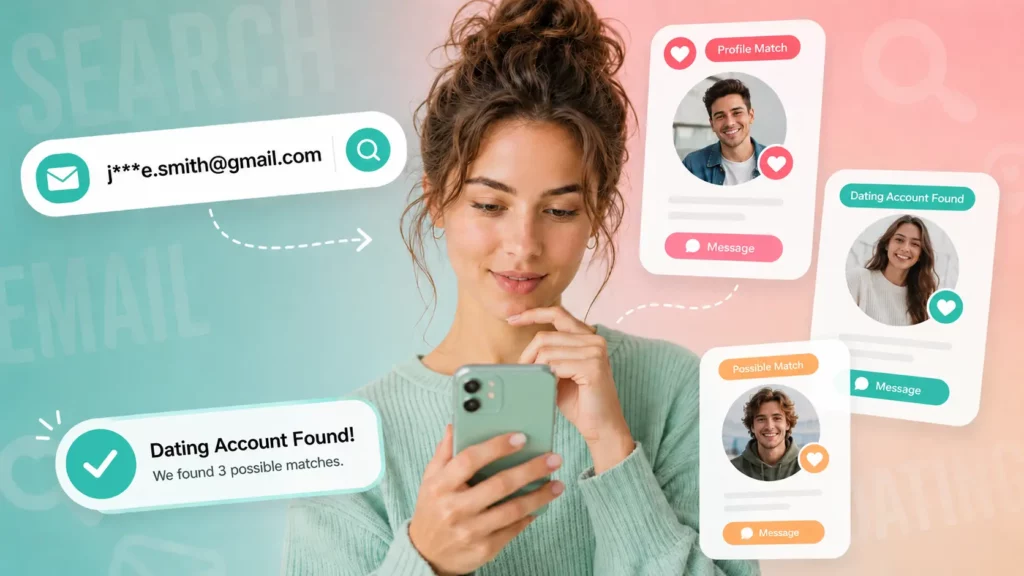
Dating apps don’t have a search bar where you type a name and get a profile. That’s by design — Tinder, Bumble, Hinge, and most competitors hide accounts from anyone who isn’t a match. But a profile still leaves traces: the same photo, the same username, the same phone number or email used to register. Whether you’re trying to verify someone you matched with elsewhere or you suspect a partner has an account they haven’t mentioned, those traces are what make a search possible.
This guide walks through six free methods, starting with what you can do in a browser right now and ending with a phone or email lookup that covers dozens of platforms at once.
Why Dating Profiles Are Hard to Find
Major dating apps restrict discovery by design. Tinder and Hinge only show profiles inside their own matching algorithm, not to outside searchers. Bumble and OkCupid let users hide their profile from people they already know on Facebook. None of them index profiles for Google, and none offer a public “look up this person” feature.
That doesn’t make profiles unfindable — it means the search has to route through something the platform can’t hide: a username, a photo, a phone number, or an email address.
Method 1: Search Their Username Across Dating Apps
Most people reuse a username, or a close variation of one, across multiple accounts. If you know their handle from Instagram, Twitter, or an old forum post, try it directly inside dating apps that allow in-app search:
- Open the app and check the in-app search or “discover” feature, if one exists.
- Try the exact username, then two or three common variants (added numbers, underscores, a last initial).
- Repeat across Tinder, Bumble, Hinge, OkCupid, and Plenty of Fish — a match on one app often means a match on several.
This method only works if the person kept their username consistent, which is common but far from guaranteed.
Method 2: Use Google Site Search Operators
Google can’t see inside app-only profiles, but it can index public dating-site web pages, forum mentions, and cached results. The site: operator narrows a search to one domain.
| Search Query | What It Finds |
|---|---|
| “username” site:tinder.com | Public Tinder pages or shared profile links containing that username |
| “username” site:okcupid.com | OkCupid pages referencing the username |
| “first name” “city” site:pof.com | Plenty of Fish results matching a name and location |
| “email address” site:reddit.com | Forum posts where the email may have been shared or exposed |
Results are inconsistent because most dating profiles sit behind a login wall, but this method costs nothing and takes under a minute to try.
Method 3: Run a Reverse Image Search
People rarely take a new photo for every platform. If someone has a public photo — a LinkedIn headshot, a Facebook profile picture, an Instagram post — a reverse image search can surface the same image on a dating site.
- Save the photo you want to check.
- Upload it to Google Images, TinEye, or a similar reverse-search tool.
- Review the results for dating-site domains (Tinder, Match, Zoosk, Bumble, Hinge).
- Check whether the surrounding page text confirms a name, age, or username match.
This method is strongest when the photo is distinctive — a clear face shot, not a group photo or a heavily filtered image.
Method 4: Check Social Media for Dating App Hints
Dating activity often leaves a footprint on social platforms even when the profile itself is private. Bios sometimes mention a dating app directly, or hint at it with phrases like “swipe right” or “matched on here.” Linked accounts are another signal — Bumble and Hinge let users connect Instagram or Spotify, and those connections can confirm an active profile without opening the app itself. For a full breakdown of the specific signals to check on someone’s phone and social accounts, see how to see if someone is on dating apps.
Method 5: Search by Phone Number or Email with Searqle

Manual methods run out fast once a username has changed or a photo isn’t public. Most dating apps still require a phone number or email at signup, and that detail rarely changes even when everything else about the account does. Searqle runs that phone number or email against public records and online sources at once, instead of checking each dating site one by one, and returns a single report showing linked accounts, associated profiles, and digital-footprint matches in a few minutes rather than the 30–45 minutes a manual site-by-site check usually takes.
You can start the same search using only an email address — see search dating sites by email for the email-specific version of this method, or find dating profiles by phone number if a number is all you have.
How Searqle’s Dating Profile Search Works
Searqle cross-references the phone number, email, or photo you enter against public data sources, cached web pages, and profile metadata associated with online accounts, then compiles anything connected into a single readable report rather than a raw list of links.
To run a search:
- Go to Searqle and choose Phone, Email, or Photo as the search type.
- Enter the detail you have — no account creation required to start.
- Wait while the platform scans linked records and online sources.
- Open the generated report to review any associated names, photos, profiles, and contact history.
The trial gives new users seven days of access for €1.00, enough to run several searches before deciding whether a weekly or monthly plan fits.
Why Searqle Is the Better Free-Start Option
Free username and Google-operator methods work only when someone kept the same handle or photo everywhere — a condition that fails as soon as a person uses a burner number, a throwaway email, or a different picture for dating apps specifically. Searqle’s advantage is that it searches by identity anchors (phone, email, photo) instead of guesswork, so a changed username doesn’t break the search.
It’s the strongest option when you already have one piece of hard data — a number from a missed call, an email from a shared document, a screenshot of a face — and need to know what else connects to it. It suits three groups in particular: people verifying a match before a first date, people who suspect a partner has an account they haven’t disclosed, and anyone who received a suspicious message and wants to confirm who’s actually behind it before replying.
Searqle vs. Other Dating Profile Search Tools
| Feature / Criteria | Searqle | Social Catfish | Lullar | UserSearch |
|---|---|---|---|---|
| Search by phone number | Yes | Yes | No | Limited |
| Search by email address | Yes | Yes | Yes | Yes |
| Search by photo | Yes | Yes | No | No |
| Combined identity report (not just links) | Yes | Yes | No | Limited |
| No-signup free trial | Yes (€1.00 / 7 days) | Partial preview only | Yes | Yes (username only) |
| Data breach exposure check | Yes | Not available | Not available | Not available |
Searqle fits readers who want one report covering identity, contact, and online-presence data instead of switching between a username tool for social platforms and a separate lookup for phone or email records.
Limitations of Free Dating Profile Searches
Free methods have real gaps worth knowing before you rely on them. A visible profile only confirms an account exists — many apps leave profiles active after someone stops using them, so a match doesn’t prove current dating activity. Fake names and burner phone numbers defeat username and phone-based searches entirely. And because free tools pull from whatever is publicly cached, results can be outdated by months if a profile changed its photo or bio recently.
Frequently Asked Questions
Searching publicly available information — usernames, cached pages, public photos — is legal in the US. Using that information to harass, stalk, or impersonate someone is not, regardless of how the information was found.
Rarely on its own. A first name alone matches too many accounts to be useful; pairing it with a city, age range, or photo narrows results significantly.
No. None of the methods above — username checks, Google operators, reverse image search, or a Searqle lookup — notify the account holder.
Many platforms keep data on file even after deactivation. A phone or email lookup can sometimes still surface an old profile that a username search would miss entirely.
Conclusion
Start with the free methods if you have a username or a public photo to work from — they cost nothing and take a few minutes each. When those come up empty, or when a username has clearly changed, a phone or email search closes the gap that manual checking can’t. Searqle turns whichever detail you have — a number, an email, a photo — into one report instead of a dozen separate searches, which is the practical difference between spending an evening checking apps one by one and getting an answer in minutes.