You searched for a profile and got nothing — no page, no content, just a blank result or a “Deleted User” message. Whether you’re trying to verify a contact, investigate a scam, or confirm whether someone you know has had an account, finding a deleted OnlyFans account feels like hitting a wall.
The good news: a deletion does not erase every trace. Depending on what information you have — an email address, a photo, a username — there are several methods that can still surface relevant data. One of the most direct starting points is Searqle, a people search platform that runs identity lookups by email, phone, or photo and returns linked accounts, digital profiles, and contact records in a single report.
This guide covers five methods that work, what each one requires, and when to use them.
What Happens When an OnlyFans Account Is Deleted?
Understanding what a deletion actually does helps you know what is and is not recoverable.
When a creator permanently deletes their OnlyFans account, all content, messages, and subscriber data are removed from the platform. Subscribers lose access immediately — regardless of how much subscription time remains. The account URL returns a blank page or an error. Refunds for outstanding subscription periods are not issued automatically and must be requested through support.
Deactivation is different. A deactivated account is suspended, not erased. The content still exists on OnlyFans’ servers, and the account can be restored by the creator. If an account appears to have disappeared, it may be deactivated rather than permanently deleted — and that distinction matters when choosing your search method.
Why You Might Need to Find a Deleted OnlyFans Account
There are several legitimate reasons people search for a deleted OnlyFans profile:
- Scam investigation. You paid for a subscription or custom content, and the creator deleted their account before delivering. Finding a trace of the profile is the first step toward reporting the incident and requesting a refund.
- Relationship concern. You suspect a partner has or previously had an OnlyFans account and want to confirm or rule it out. Identity search tools that work from an email address or photo are the most effective approach here.
- Identity and background research. You are building a full picture of someone’s online presence — for personal, professional, or investigative reasons — and OnlyFans is a platform that cannot be skipped.
Each scenario calls for a different entry point. If you have an email address, start there. If you have a photo, use photo lookup. If you only have a username, a web search is your first move.
5 Methods to Find a Deleted OnlyFans Account
Method 1: Search by Email Address

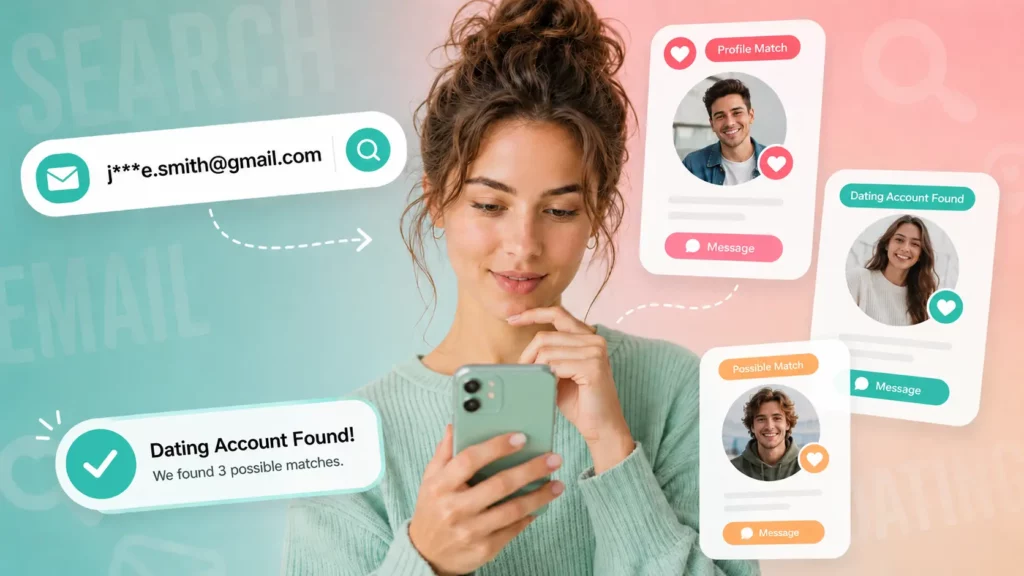
Email address lookup is the most reliable method when you have even a partial lead. Every OnlyFans account is registered to an email address, and that email is often the same one used across multiple platforms.
When someone deletes their OnlyFans account, the email remains associated with their broader digital identity — including other social media accounts, public records, and linked profiles that are still active.
Searqle runs precisely this type of lookup. Enter the email address, and the platform searches public sources and connected records to return full name, associated phone numbers, social media profiles, and location data. If the person had an OnlyFans account linked to that email, you may also find references to their username or online aliases in the report.
How to run an email search on Searqle:
- Go to relationship.searqle.io
- Select the email search option
- Enter the email address associated with the account
- Review the identity report for linked profiles, usernames, and contact details
The result is not a direct OnlyFans login bypass — Searqle surfaces publicly available identity data. But for most relationship-context searches, that is exactly what you need to confirm whether the account existed and who was behind it.
Method 2: Reverse Image Search / Photo Lookup
If you have a saved profile photo, a screenshot, or any image from the account, reverse image search is one of the most effective ways to trace where the creator has gone after deletion.
There are two distinct approaches:
Google Lens matches the image file against other indexed pages. If the same photo appears on an Instagram account, a Reddit post, or another platform, Google Lens will surface it. This works well when the creator used the same photo across multiple accounts.

AI-powered photo search — the approach used by Searqle’s photo lookup — goes further by identifying the person rather than just the file. Facial recognition technology scans across social media platforms, dating apps, and public databases to find where that face appears, even when the creator has changed their username or profile photo on each platform.
How to run a photo search on Searqle:
- Go to relationship.searqle.io
- Select the photo search option
- Upload the saved profile photo or screenshot
- Review matched profiles and linked accounts
This method is particularly effective for relationship-context investigations where the person may have moved to a different platform under a different name after deleting their OnlyFans profile.
Method 3: Google Cache and Web Archive Search
Search engines index public pages, and those indexes are not always updated the moment a page is removed. A recently deleted OnlyFans account may still appear in Google’s index for days or weeks after deletion.
How to search for cached data:
- Open Google and type: site:onlyfans.com/[username] — replace [username] with the creator’s known handle
- If a result appears, click the three-dot menu next to the URL and look for a cached version
- Separately, go to web.archive.org and enter the full OnlyFans profile URL to check whether the Wayback Machine archived the page
Important limitations: OnlyFans has platform-level privacy settings that restrict most automated archiving. The Wayback Machine rarely captures OnlyFans profiles because the platform blocks crawlers for much of its content. This method works best when the account was recently deleted and had been publicly indexed. For older deletions, cached data is unlikely to still be available.
Method 4: Username Search Across Platforms
Many OnlyFans creators use the same username across multiple platforms — Instagram, TikTok, Twitter/X, Reddit, or Linktree — to drive traffic to their page. When the OnlyFans account is deleted, those cross-platform profiles may still be active.
How to run a username search:
- Take the known OnlyFans username
- Search it directly in Google: “[username]” site:instagram.com — repeat for other platforms
- Try a direct username search on Instagram, TikTok, and Twitter/X
- Check OnlyFinder (onlyfinder.com), a third-party index that may retain cached profile data from deleted OnlyFans accounts
This method is most effective when the deletion happened recently and when the creator had a public online presence beyond OnlyFans. For privacy-conscious creators who used platform-specific usernames, results will be limited.
Method 5: Contact OnlyFans Support
OnlyFans support can confirm limited information about a deleted account and is the correct channel for refund requests.
How to submit a support request:
- Go to onlyfans.com/help
- Select the relevant category — subscription issues or content access
- Provide the creator’s username and your transaction details, including dates and amounts
- Request a refund for any outstanding subscription period or for content that was removed before delivery
Important limitations: OnlyFans support cannot share personal data about third-party account holders. They will not give you the creator’s real name, email, or contact information. This method is most useful for financial disputes — not for identity investigations.
How Searqle Compares to Other Lookup Tools
When it comes to tracing a deleted OnlyFans account through identity data, not all tools are built for the same use case.
| Feature / Criteria | Searqle | Social Catfish | X-Ray Contact |
| Email lookup | Yes | Yes | Yes |
| Phone number lookup | Yes | Limited | Yes |
| Photo / face search | Yes | Yes | No |
| 7-day trial available | Yes (€1.00) | No | Yes |
| Designed for relationship context | Yes | Partial | No |
Searqle is built specifically for the relationship and identity verification context — the scenario where you know an email address or have a photo of someone and need to confirm who they are and where else they appear online. Social Catfish covers similar territory but is primarily marketed toward romance scam detection. X-Ray Contact is built for professional OSINT work, not personal identity verification.
Can a Deleted OnlyFans Account Be Recovered?
This depends on who is asking and why the account was deleted.
If you are the account owner, there is a narrow window for recovery. Several users on community forums report that attempting to log in within 20 days of deletion can trigger a restoration process. If the account was deactivated — not permanently deleted — logging in is usually sufficient to restore access. If the account was permanently deleted due to a terms-of-service violation, OnlyFans may consider an appeal submitted within six months, though success is not guaranteed for serious violations.
If you are a third party looking for someone else’s deleted account, you cannot recover the account itself. What remains accessible are public traces: cached search engine snippets, web archive snapshots, cross-platform profiles, and identity data tied to the email address or phone number associated with the account.
The most consistent method for finding those traces is an identity search that starts with information you already have — an email, a phone number, or a photo. Learn more about how to find hidden dating profiles and what identity search tools can reveal.
Frequently Asked Questions
Yes. If you have an email address, phone number, or photo associated with the person, you can run an identity lookup without knowing their username. Searqle accepts all three as search inputs and returns linked accounts and profile data from public sources.
No. Searching for a person’s profile — on OnlyFans or through a third-party identity search tool — does not send any notification to the account holder. Searches on Searqle are fully confidential.
There is no fixed timeline. Google’s index updates on its own crawl schedule. A recently deleted account may remain in search results for several days to a few weeks. After that, the URL typically returns a 404 error and drops out of search results.
Searching publicly available information is legal in most jurisdictions. Identity search tools like Searqle aggregate publicly available data — they do not bypass platform security or access private records. For specific legal questions related to your situation, consult a qualified professional.
Conclusion
Finding a deleted OnlyFans account requires matching the right method to the information you have. Start with email lookup if you have an address — it is the most direct path to linked accounts and identity data. Use photo search if you have an image. Fall back to Google cache and username searches for recently deleted accounts where a digital trace may still exist.
For most searches in a relationship context, the fastest and most reliable starting point is running an identity search on Searqle. Enter an email, phone number, or photo, and the platform returns a full report on publicly available identity data, linked social profiles, and connected accounts — without requiring any technical knowledge or multiple separate tools.
More Helpful Articles
How to Search for Someone on Tinder Without an Account Want to know if someone is active on Tinder? This guide covers the most reliable methods for searching Tinder profiles by name, photo, or phone number — including identity lookup tools that work even when you don’t have a Tinder account yourself.
How to Find Hidden Dating Profiles If you suspect someone is using a dating app they haven’t mentioned, there are concrete steps you can take. This article explains how to find hidden or secret dating profiles using email lookup, reverse image search, and people search platforms.
How to Catch a Cheater Online Suspicious activity doesn’t always leave obvious signs. This guide breaks down the most effective ways to verify whether a partner is active on dating or adult platforms — from phone number lookups to digital footprint analysis — and what to do with what you find.