
You’ve been talking to someone online for a few weeks. The photos look good, the conversation flows, and something still feels slightly off. Maybe they avoid video calls. Maybe their story shifted between messages. Before you send another message — or another dollar — there’s a faster way to settle the question than waiting for your gut to catch up: run their details through a fake profile checker and see what the internet actually says about them.
Why Fake Profiles Are So Common Online
Fake profiles exist for a handful of predictable reasons, and none of them are good for the person on the receiving end.
- Romance scams. Someone builds a convincing persona over weeks, then asks for money for an emergency, a flight, or a “investment opportunity.”
- Catfishing. A person uses someone else’s photos and a fabricated identity, often out of insecurity rather than financial motive.
- Bot and spam accounts. Automated profiles mass-message users to drive traffic to a scam link or OnlyFans-style redirect.
- Impersonation. Someone copies a real person’s name, photos, and bio to trade on their reputation.
Each motive leaves a slightly different trail, which is exactly why a single red flag rarely tells the whole story — and why checking multiple data points matters more than staring at one suspicious photo.
7 Warning Signs Someone Might Not Be Real
- Their photos look professionally shot or slightly too polished for a casual dating profile.
- Their account was created recently and has few posts, followers, or tagged photos.
- Details about their job, age, or location shift slightly between conversations.
- They avoid or delay video calls, often citing a broken camera or bad connection.
- Their bio is vague — “entrepreneur,” “love to travel” — with no specific, checkable details.
- They move the relationship fast, especially toward requests for money or gift cards.
- Their social media presence exists on only one platform, with no cross-linked history elsewhere.
One or two of these signs alone aren’t proof of anything. Three or more together are worth acting on.
How to Check If Someone Is Real: A Step-by-Step Verification Process
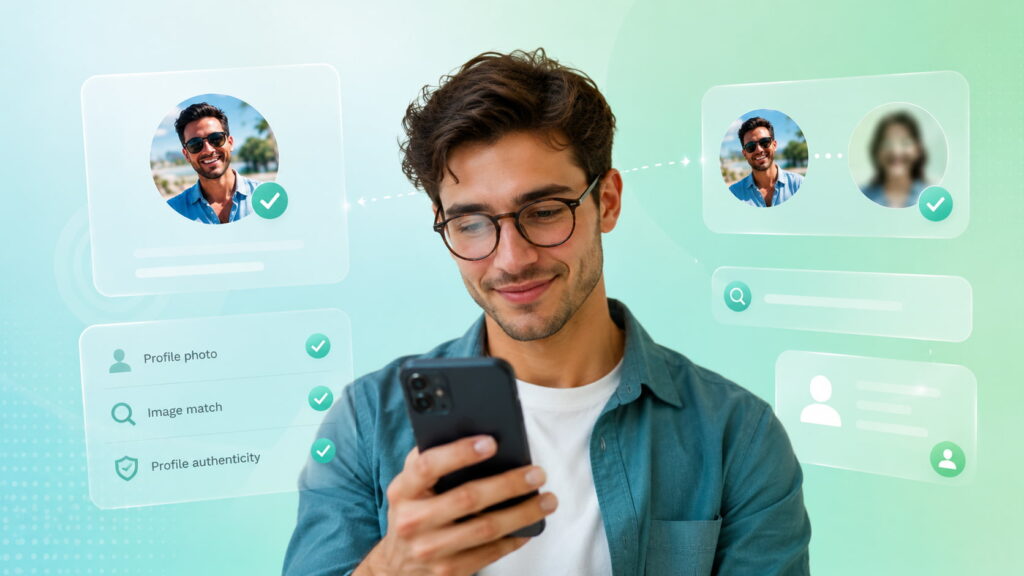
Once a couple of those red flags show up, guessing isn’t good enough. A quick verification pass gives you something concrete to weigh instead of a feeling. This is also where a dedicated fake profile checker like Searqle earns its place: instead of running five separate manual searches across five different sites, it pulls phone, email, and photo lookups into one report, so you get a clearer answer in minutes instead of an evening of tab-switching.
Step 1: Run a Reverse Image Search on Their Photos
Save their profile picture and search it. If the same face shows up under a different name, on a stock photo site, or across multiple unrelated profiles, you’re looking at a stolen photo. For a full walkthrough of this method, including what to do if the image doesn’t match anything, see our reverse image search guide for catching a catfish.
Step 2: Look Up Their Phone Number
A reverse phone lookup can surface the registered owner’s name, general location, and address history tied to that number. If the name that comes back doesn’t match what they told you, that’s a direct contradiction — not a coincidence.
Step 3: Search Their Email Address
An email search can reveal linked social accounts, other usernames tied to that address, and whether the address has appeared in a known data breach. Scammers frequently reuse the same email across multiple fake accounts, which makes this one of the more reliable checks.
Step 4: Cross-Check Their Social Media History
Real accounts accumulate mess over time: old posts, tagged photos from friends, comments from people who clearly know them. Search their name and username together and compare what you find against what they’ve told you about their job, city, and friend group.
Step 5: Ask for a Video Call
This step costs nothing and filters out a large share of fakes on its own. A real person can hop on camera. Someone hiding behind stolen photos usually can’t, and the excuses tend to repeat — bad lighting, a broken phone, “maybe tomorrow” on loop.
Mini Guide: How Searqle’s Fake Profile Checker Works

Searqle pulls from public records, social platforms, and breach databases, then compiles whatever it finds on a phone number, email address, or photo into one readable report. Instead of manually checking a name against ten separate sites, you enter one piece of information and get back identity details, address history, social profiles, and any exposure flags tied to it in a single pass.
Getting a report takes four steps:
- Go to Searqle and choose your search type: phone, email, or photo.
- Enter the number, address, or upload the image you want checked.
- Let the platform scan public and online sources — this typically takes under a minute.
- Review the compiled report: identity details, address history, related contact records, social profiles, and any data breach exposure.
You can start with the 7-day trial for €1.00 to run a first check before deciding whether the weekly or monthly plan fits how often you verify new contacts.
Searqle vs. Other Identity Verification Tools
| Feature / Criteria | Searqle | Social Catfish | Lullar |
|---|---|---|---|
| Phone number lookup | Yes | Yes | No |
| Email lookup | Yes | Yes | Limited |
| Photo / reverse image search | Yes | Yes | No |
| Username search across platforms | Limited | Limited | Yes |
| Data breach exposure check | Yes | Not available | No |
| Single report combining all search types | Yes | Partial | No |
| Trial pricing | 7 days for €1.00 | Paid trial required | Free |
If your priority is confirming a person’s real identity — not just checking whether a username exists somewhere — Searqle’s combined phone, email, and photo search gives you more to work with than a platform-only tool like Lullar, without needing to run three separate searches on three separate sites.
Why Searqle Is the Right Choice for Verifying Someone Online
What separates a useful fake profile checker from a novelty tool is coverage and speed. Searqle checks phone, email, and photo data in one search rather than forcing you to pick a single method and hope it’s the right one — which matters because scammers who fabricate a name will still leave a real trail through their phone number or email.
It’s the strongest fit when you already have at least one piece of contact information — a number from a dating app, an email from a marketplace listing, a photo from a social profile — and want a fast, structured answer rather than a manual investigation across a dozen browser tabs.
It’s built for people meeting new contacts online regularly: daters vetting matches before a first meeting, sellers verifying buyers before a transaction, or anyone who’s received a message that doesn’t quite add up and wants a fast second opinion.
What to Do If You Confirm Someone Is Fake
- Stop sharing any personal, financial, or location information immediately.
- Don’t confront them directly — scammers often disappear and resurface under a new name once caught.
- Report the profile on whatever platform you met them on.
- Block the account and any known alternate accounts you found during your search.
- Warn any mutual friends or contacts who may also be talking to the same profile.
- Keep screenshots of the conversation in case you need to report the scam to a consumer protection agency.
Frequently Asked Questions
Run a reverse image search on their photo and a lookup on their phone number or email. Both can be done quietly, without the other person knowing, and often settle the question within minutes.
Basic reverse image search (Google Images, TinEye) is free and catches stolen photos. Combined phone, email, and photo verification — which catches more sophisticated fakes — typically requires a paid tool like Searqle, though most offer a low-cost trial first.
It’s possible but harder than faking a name or bio. VOIP numbers and disposable email addresses do show up in lookups, and a lookup that returns no history at all on a number claiming years of use is itself a red flag.
Combine two checks: a reverse image search on their photo and a request for a video call. Between the two, most fake profiles either fail to produce a matching search result or avoid the call entirely.
Conclusion
A gut feeling that something’s off is worth listening to, but it’s not proof either way. Running a phone number, email, or photo through a fake profile checker turns that suspicion into an actual answer — usually before you’ve invested more time, trust, or money into someone who was never who they claimed to be. If a conversation has started to feel inconsistent, that’s the moment to check, not the moment to hope you’re wrong.
